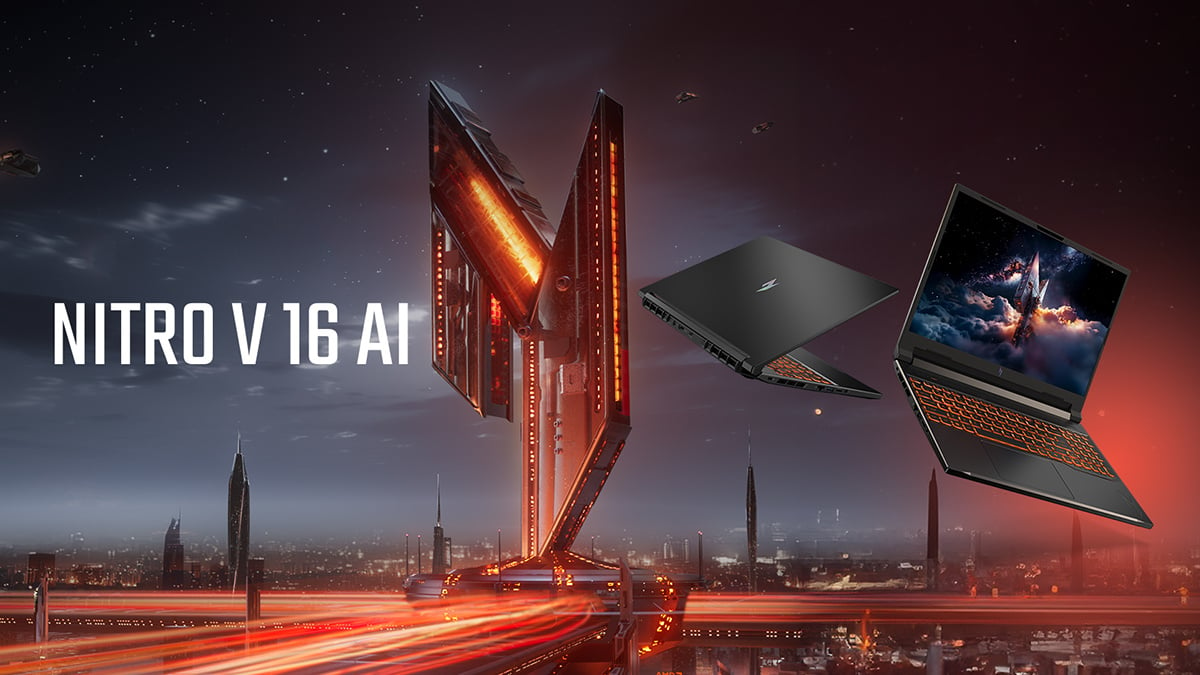
Today we’re in search of the best budget gaming laptop, and we think we might have found it: the Acer Nitro V 16 AI gaming laptop. Join us as we break down what this understated beast actually delivers in real-world use. Balancing price, performance, and everyday usability, the Acer Nitro series has stood out since its inception. Built for players who want capable hardware without stepping into premium territory, the lineup consistently delivers reliable gaming performance alongside practical features for work, study, and everything in between.
The latest Acer Nitro V 16 AI Gaming Laptop – ANV16-61-R9MV continues that approach. Positioned as a capable mid-range machine with AI-ready hardware and modern graphics, it brings together AMD processing, NVIDIA RTX 50-series performance, and a fast 16-inch display in a package that’s designed to handle both gaming and daily workloads without fuss. Let’s get to it!
What is the Nitro V16 AI?
Synonymous with affordable gaming laptops, The Acer Nitro V 16 AI is designed for gamers and students who want capable performance without unnecessary complexity. Built around a 16-inch form factor, it balances responsive gaming, AI-assisted tasks, and everyday usability, making it a flexible machine for work, play, and downtime. While the Nitro V 16 AI lineup is available across different configurations, today’s focus is on the AMD-powered models.
Under the hood, these AMD variants combine Ryzen processors with NVIDIA GeForce RTX 50 series graphics, bringing together strong performance and AI-enhanced capabilities. Features like high refresh rate displays, dual-fan cooling, and fast connectivity options are designed to keep gameplay smooth and consistent, while tools like NitroSense and Acer Intelligence Space give users direct control over performance and system behavior. Now that we've cleared up the basics, let’s check out one of the best budget gaming laptops out there, the Acer Nitro V 16 AI Gaming Laptop – ANV16-61-R9MV.
Acer Nitro V 16 AI in focus

Before diving into real-world performance, our focus today is the Acer Nitro V 16 AI Gaming Laptop – ANV16-61-R9MV, currently available for $1,299.99. But if you’re a student you can take 15% off thanks to Acer’s student discount. Let’s check out the tech specs:
- Processor: AMD Ryzen™ 7 350 (2.0 GHz base, up to 5.0 GHz turbo, 8 cores)
- GPU: NVIDIA® GeForce RTX™ 5060 (8 GB GDDR7 dedicated memory)
- Display: 16-inch WUXGA (1920 x 1200), 16:10 IPS, 180 Hz
- Memory: 16 GB DDR5 SDRAM
- Storage: 1 TB PCIe NVMe Gen 4 SSD
- Connectivity: Wi-Fi 6, Gigabit Ethernet, Bluetooth 5.3
- Ports: 4 × USB, HDMI, RJ-45, audio out
- Camera & audio: Webcam, microphone, dual speakers
- Battery: 76 Wh (up to 10 hours)
- Power: 135 W adapter
- Weight: 5.36 lbs
- Color: Obsidian Black
Processor and GPU performance
While the Nitro family is renowned for giving us some of the most affordable gaming laptops, this model takes the cake. At the heart of the system is the AMD Ryzen 7 350, an octa-core processor that keeps things ticking across both gaming and everyday use. With boost speeds pushing up to 5.0 GHz, it’s got enough headroom for modern titles while still handling background tasks, browser tabs, and streaming without turning into a stuttery mess. It’s not trying to be overkill, but it’s exactly the kind of chip you want in a balanced gaming setup.
On the graphics side, the NVIDIA GeForce RTX 5060 with 8 GB of GDDR7 memory does the heavy lifting. This is where the Acer Nitro V 16 AI really earns its keep. Built on the RTX 50 series platform, it brings solid frame rates, improved visual fidelity, and AI-assisted features that help smooth things out when the action ramps up. For a system in this price range, it’s a proper step into current-gen gaming without feeling like a compromise.
Display and visuals
The 16-inch WUXGA panel keeps things sharp without going overboard. The 1920 × 1200 resolution paired with a 16:10 aspect ratio gives you that extra bit of vertical space, which actually makes a difference when you’re not gaming. Whether you’re working, browsing, or editing, it just feels a bit less cramped than standard 16:9 panels.

With a 180 Hz refresh rate, everything feels noticeably smoother the moment you start playing. Fast movement is cleaner, tracking is easier, and overall responsiveness is where it needs to be for competitive titles. The IPS panel keeps colors consistent and viewing angles solid, while the matte ComfyView finish cuts down glare, so you’re not fighting reflections during massive sessions.
Memory and storage
With 16 GB of DDR5 RAM, the Acer Nitro V 16 AI sits right where it should for a modern gaming laptop. It’s enough to keep games running smoothly while handling background apps, voice chat, and browser tabs without choking the system. You’re not constantly thinking about what needs to be closed, which is exactly how it should be in this tier.
There’s also the practical side. With two memory slots available, you’ve got room to upgrade down the line if your workload grows. That flexibility matters, especially for a system designed to last far longer than a single upgrade cycle.
Storage wise, The 1 TB PCIe NVMe Gen 4 SSD keeps everything feeling quick and responsive. Boot times are fast, games load without dragging, and file transfers don’t get in the way of your flow. It’s a solid capacity too, giving you space for a proper game library alongside everyday files without immediately running into limits.
Battery life and portability
The 76 Wh battery is rated for up to 10 hours, which is solid for lighter workloads like browsing, streaming, or general productivity. An all round good budget gaming laptop, it’s not designed to run full gaming sessions unplugged, but it gives you enough flexibility to use the laptop away from the desk without constantly reaching for the charger.
At 5.36 lbs, the Acer Nitro V 16 AI ain’t trying to be ultra-light, but it stays within a reasonable range for a 16-inch gaming laptop. It’s portable enough to move between home, work, or class without it becoming a hassle, which fits the overall design philosophy of keeping things usable in real-world scenarios. Speaking of which, the Obsidian Black finish keeps things clean and understated. More practical than flashy, you’ll be able to blend into mixed environments beyond just gaming setups.
Connectivity and ports
Connectivity is straightforward but properly covered. Wi-Fi 6 keeps things stable and fast on wireless networks, while Gigabit Ethernet is there when you want a more consistent, low-latency connection for gaming. Bluetooth 5.3 rounds it out for modern peripherals, whether that’s a headset, controller, or anything else you’re running.
On the physical side, you’re getting four USB ports, HDMI, an RJ-45 Ethernet port, and audio out. It’s a practical layout that covers the essentials without forcing you into adapters or hubs. Plug in your peripherals, external display, and network cable, and you’re good to go.
Cooling and thermal performance
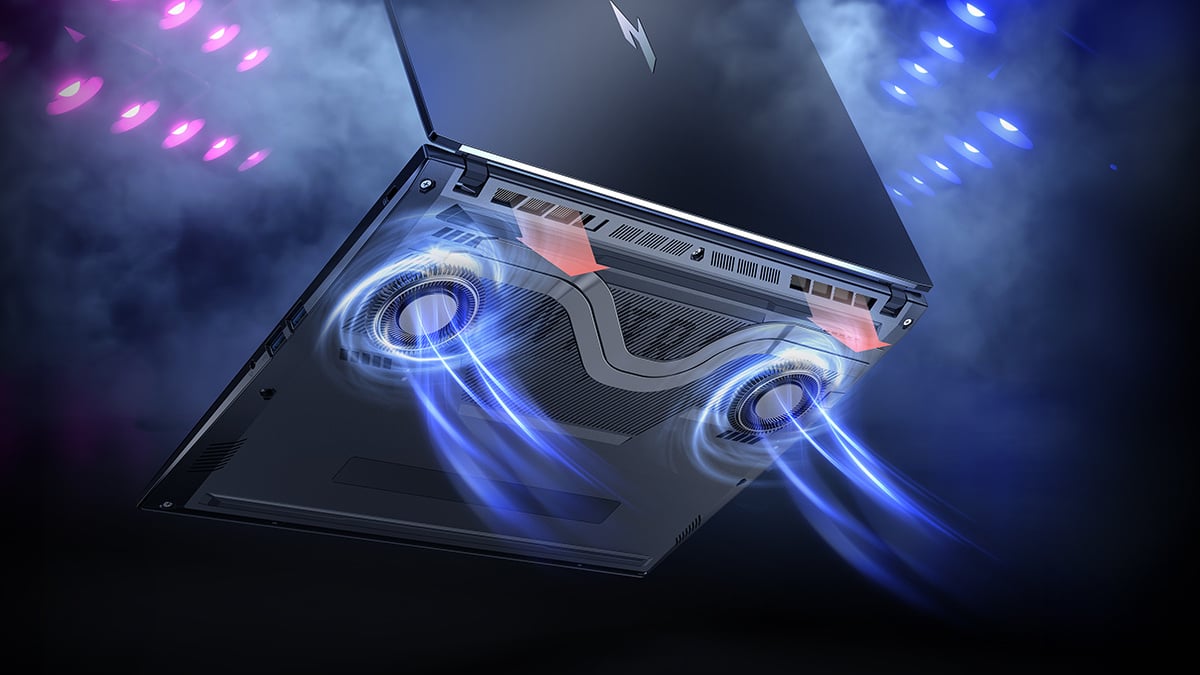
Last but certainly not least, let’s take a peek at the cooling credentials of the best budget laptop for gaming. The Acer Nitro V 16 AI uses a dual-fan cooling setup with dual intake and exhaust, designed to keep airflow moving when things heat up. It’s built for longer sessions, whether you’re gaming or pushing the system with heavier workloads, helping maintain consistent performance without aggressive throttling.
In practice, this kind of setup is about stability. You’re not just chasing peak performance for a few minutes, you want the system to hold its speed over time. The cooling here is tuned to keep temperatures under control while balancing noise and efficiency, so you’re not dealing with sudden drops in performance mid-session.
Final verdict
The Acer Nitro V 16 AI Gaming Laptop delivers where it counts, combining an 8-core AMD processor, RTX 50-series graphics, and a fast 180 Hz display into a setup that handles modern gaming and everyday use without pushing into premium pricing. What really stands out is the balance. It’s not chasing extremes, it’s built to perform consistently. With solid thermals, practical connectivity, and upgrade potential, it fits easily into real-world use while still offering current-generation performance at a more accessible price point.
If you’re weighing up your options, it’s also worth understanding where Nitro sits in the wider lineup. Check out Acer Nitro vs Predator to see how the Nitro family compares to Acer’s more premium offerings.
Finally, don’t forget the full setup. Pairing your laptop with the right display can make a real difference, and you can explore options in this best budget gaming monitor guide for affordable upgrades that complement your system. As a final bonus, students can also take advantage of a 15% student discount, making the Acer Nitro V 16 AI even more accessible if you’re studying and gaming on the same machine.
More games to try on the Nitro V 16 AI
Want to put the Nitro V 16 AI’s RTX 5060 graphics and 180 Hz display to good use? Check out some of our popular gaming guides for titles that can run well on a capable modern gaming laptop like this one:
FAQs
Is the Acer Nitro V 16 AI good for gaming?
Yes, the RTX 5060 and 180 Hz display provide smooth performance for modern titles, especially at this price point.
Can it handle work and multitasking?
Yes, the Ryzen 7 processor and 16 GB RAM handle everyday tasks, multitasking, and light creative work without issue.
Is 16 GB RAM enough?
Yes, it’s the current standard for gaming and productivity, and there’s upgrade potential if you need more later.
Does it have good battery life?
Up to 10 hours for lighter use like browsing or streaming, though gaming will require plugging in.
Is it portable?
At 5.36 lbs, it’s not ultra-light but still practical for moving between home, work, or class.
Who is this laptop best for?
It’s ideal for gamers, students, and users who want strong all-round performance without stepping into premium pricing.
Recommended Products

Acer Nitro V 16 AI
(RTX 5060)
Buy Now |

Predator Helios Neo 14 AI (RTX 5070)
Buy Now |

Acer Nitro V 15 (RTX 5050)
Buy Now |
|---|