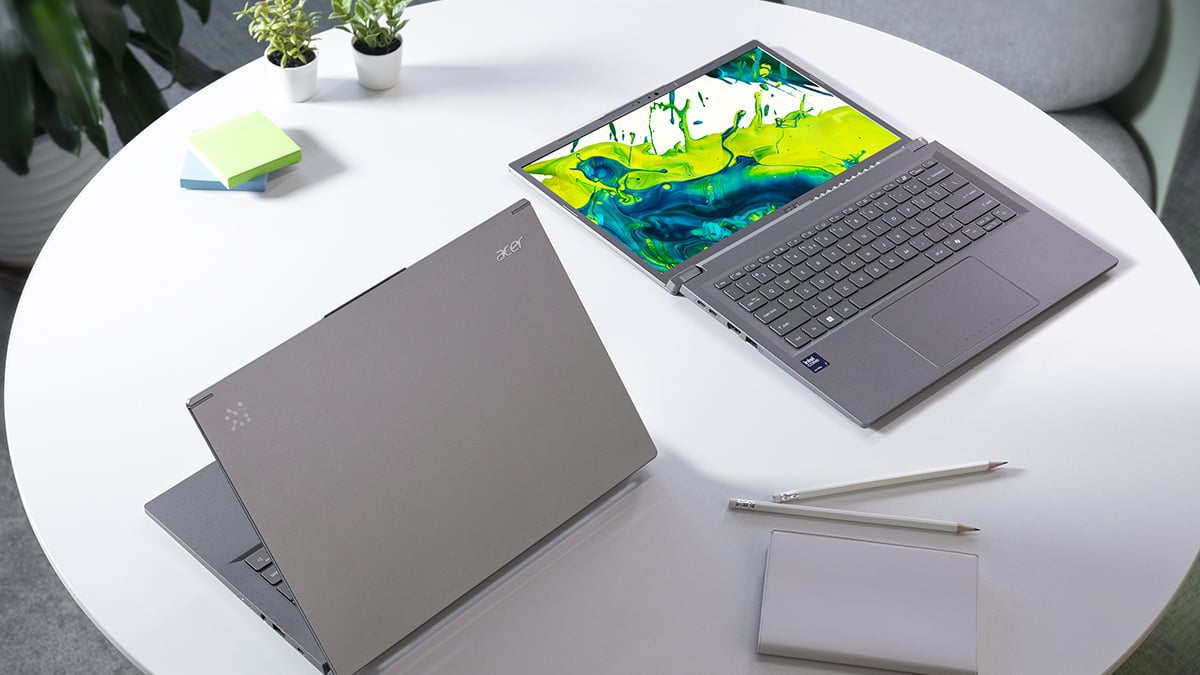
If you’re looking for a laptop for content creation in 2026, the challenge isn’t just power, it’s finding something that can keep up while you’re actually moving around. Whether you’re editing on the fly, working between locations, or just postponing being tied to a desk, portability starts to matter just as much as performance.
On the go content creators need balance. A laptop light enough to carry without thinking about it, like the Swift laptops we’ll cover shortly, but still ready when you sit down to work. For heavier projects, the Triton machines step in as the perfect laptops for content creators, with GPU power that changes the game. First though, let’s find out what actually matters before we start comparing models or chasing the latest Windows 11 laptop deals.
What content creators actually need from a laptop
For most content creators, the basics are similar to any everyday laptop, just pushed a bit further in the areas that affect creative work.
Processor and overall performance: a modern CPU keeps everything running smoothly, whether you’re editing video, working with large image files, or multitasking across apps. A CPU with a clock speed in the 4.8 to 5.4 GHz range is recommended for professional workloads such as 4K video editing and 3D design.
Anything below this range is generally better suited to lighter tasks, including photo editing and 1080p video work. Good news is that all of the laptops recommended below meet the 4.8 to 5.4 GHz specification. Remember: it’s less about chasing the highest spec and more about making sure the system doesn’t slow down once projects start stacking up.
Memory and storage: 16 GB of RAM is the baseline now, especially if you’re working with video or layered design files. Storage matters just as much, a fast SSD keeps load times down and makes moving between files feel instant rather than frustrating. For most users, 512 GB is the practical minimum for SSD, while 1 TB or more is recommended for larger projects such as 4K video or extensive design work.
Graphics: this is where content creation laptops start to go down a different road. Integrated graphics (also called shared or iGPU) are built into the processor and are fine for lighter work like photo editing, basic video edits, and general creative tasks. They’re efficient and help keep laptops thinner and lighter.
Dedicated GPUs are separate components with their own memory, and this is where you get a real jump in performance. If you’re working with heavier video editing, 3D work, or GPU-accelerated tools, a dedicated GPU makes a noticeable difference. In most cases, it’s the better option if your workload is more demanding.
Display and portability balance: a decent screen matters, especially for editing, but if you’re constantly on the move, weight and size become just as important. To see what you’re doing, we recommend a 14 inch display, with a minimum resolution of 1920 x 2000. This is where thinner designs come into play, giving you enough screen space to work without turning your bag into a burden.
Finding the right balance
For some users, a computer all in one setup still works, but for creators on the move, a laptop gives you far more flexibility. Let’s face it: not every content creator needs a full desktop replacement, and not every lightweight laptop can handle heavier creative work. Some setups lean toward portability, others toward performance, and the best choice usually sits somewhere in between.
That’s why Acer splits things out across different lines. Swift models focus on thin and lightweight designs that are easy to carry, while the Triton series pushes more into performance territory for users who need extra graphics power. Enough fluff, let’s check out some laptops!
1. Acer Swift Go 16 AI Laptop – SFG16-A71T-R87F

Our first device of the day is the Acer Swift Go 16 AI Laptop – SFG16-A71T-R87F. This beauty keeps things portable without feeling stripped back, and once you open it up, it’s clearly built to do much more than just the basics. The Ryzen AI 9 processor paired with 32 GB of LPDDR5X memory gives it plenty of headroom for content work, whether that’s editing, multitasking, or juggling heavier files without things slowing down. This is a proper laptop for content creation that doesn’t need a dedicated GPU to stay useful for most day-to-day creative tasks.
Once you fire it up, the Acer Swift Go 16's 120 Hz touchscreen adds bags of flexibility, especially if you’re switching between apps, sketching, note taking or simply prefer a touchscreen. The 16:10 layout gives you extra space for timelines and documents, and the overall feel stays quick and responsive across longer sessions. With a 1 TB SSD, there’s also enough room to keep projects local without constantly managing storage. At $1,599.99, it sits higher than entry-level options, but it earns that space by offering a portable setup that still holds up when the workload starts to build.
- Processor: AMD Ryzen AI 9 465 (up to 5 GHz, 10-core)
- Graphics: AMD Radeon 880M (shared)
- Display: 16-inch WUXGA (1920 × 1200), IPS, 120 Hz, touchscreen
- Memory: 32 GB LPDDR5X
- Storage: 1 TB PCIe Gen 4 NVMe SSD
- Connectivity: Wi-Fi 7 (802.11be), Gigabit Ethernet, audio in/out, headphone jack
- Battery: 65 Wh (up to 20 hours)
- Weight: 2.18 lbs
2. Acer Swift 16 AI Laptop – SF16-71T-73P1

The Acer Swift 16 AI Laptop – SF16-71T-73P1 wows with a higher-resolution OLED panel, a priceless advantage if you’re working with visuals. The Core Ultra X7 processor underneath keeps things moving without hesitation, and with 32 GB of LPDDR5X memory, it has no trouble handling heavier multitasking or larger creative projects. It’s still very much a portable setup, but there’s clearly more focus here on giving you a better working canvas rather than just keeping things light.
Mixed workloads is where the Acer Swift 16 AI excels: jump effortlessly between editing, file management, and general tasks, while the 1 TB SSD means you can keep everything local without constantly clearing space. Once you’re stuck into more visual work, that OLED display and 120 Hz panel start to pay off, especially when you’re dealing with detail or motion. At $1,799.99, it sits above the Swift Go, but it earns that step up by offering more flexibility when your workload isn’t just one thing at a time.
- Processor: Intel Core Ultra X7 358H (up to 4.8 GHz, 16-core)
- Graphics: Intel Arc B390 (shared)
- Display: 16-inch WQXGA+ (2880 × 1800), OLED, 120 Hz, touchscreen
- Memory: 32 GB LPDDR5X
- Storage: 1 TB PCIe Gen 5 NVMe SSD
- Connectivity: Wi-Fi 7 (802.11be), Bluetooth 5.4+, HDMI, 4× USB, audio in/out
- Battery: 69 Wh (up to 24 hours)
- Weight: 3.42 lb
3. Acer Swift Edge 14 AI Laptop – SFE14-51T-75PZ

The Acer Swift Edge 14 AI Laptop – SFE14-51T-75PZ keeps things extremely light and easy to carry, weighing a mere 2.18 lb, about the same as a small rabbit, which gives you a good sense of how little it adds to your bag. The white finish stands out a bit from the usual darker designs, but the real focus here is portability without giving anything up. With a Core Ultra 7 processor and 32 GB of LPDDR5X memory, it stays responsive across everyday content work, whether that’s editing, multitasking, or managing larger files.
Want all day, plus next day unplugged power? Well the Acer Swift Edge 14 AI Laptop is rated for up to 21 hours, which makes a huge difference if you’re working across different locations or away from a charger. When you eventually sit down, the 14-inch OLED display with a 120 Hz refresh rate gives you a sharp and smooth workspace, and the Eyesafe layer helps take the edge off longer sessions. At $1,499.99, it lands as a strong option for creators who want something light, capable, and crafted for working on the move.
- Processor: Intel Core Ultra 7 258V (2.20 GHz, 8-core, 48 TOPS NPU)
- Graphics: Intel Arc Graphics 140V
- Display: 14-inch OLED touchscreen (2880 × 1800), 120 Hz, Eyesafe
- Memory: 32 GB LPDDR5X
- Storage: 1 TB PCIe NVMe SSD
- Connectivity: Wi-Fi 7, Bluetooth 5.4
- Battery: Up to 21 hours
- Weight: 2.18 lbs
4. Predator Triton 14 AI – PT14-52T-972D

The Predator Triton 14 AI – PT14-52T-972D shifts gear firmly into ultra high-performance territory, built for creators who need serious GPU power without moving to a full desktop setup. Under the hood, it’s also very much a gaming behemoth, with the Core Ultra 9 processor and RTX 5070 giving it the kind of headroom that makes heavier video editing, rendering, and GPU-accelerated workflows far more manageable. With 32 GB of LPDDR5X memory backing it up, this is the sort of machine that doesn’t blink when projects start stacking up or timelines get more complex.
The Predator Triton 14 AI remains relatively compact for what it’s offering, and once you’re into your groove, the 14.5-inch OLED display and 120 Hz panel give you a sharp, responsive workspace to work from. The 1 TB SSD keeps everything close at hand, and while battery life sits around 7 hours, that’s the trade-off for the level of performance on offer. At $2,499.99, it’s clearly aimed at creators who need more than the basics, making it a strong fit for those looking at true laptops for content creators rather than general-purpose machines.
- Processor: Intel Core Ultra 9 288V (up to 5.1 GHz, 8-core)
- Graphics: NVIDIA GeForce RTX 5070 (dedicated)
- Display: 14.5-inch WQXGA+ (2880 × 1800), OLED, 120 Hz, touchscreen
- Memory: 32 GB LPDDR5X
- Storage: 1 TB PCIe Gen 4 NVMe SSD
- Connectivity: Wi-Fi 7 (802.11be), Bluetooth 5.4+, HDMI, 4× USB, audio in/out, microSD
- Battery: 76 Wh (up to 7 hours)
- Weight: 3.53 lb
5. Acer Swift X 14 Laptop – SFX14-73G-7249

The Acer Swift X 14 Laptop – SFX14-73G-7249 takes things up a level on the graphics side, hurling it into a different category with a dedicated RTX 5060 GPU. If your work leans more into video editing, rendering, or GPU-accelerated tools, this is the kind of hardware that actually makes a difference. Paired with the Core Ultra 7 processor and 32GB of LPDDR5X memory, it has the headroom to handle heavier creative workloads without slowing things down.
The Acer Swift X 14 is still impressively compact for what it offers, weighing under 3.5 lb, so it doesn’t feel like a full desktop replacement when you’re carrying it around. That balance between portability and power is what makes it stand out. When you do sit down to work, the 14.5-inch OLED display with a 120 Hz refresh rate gives you a sharp and responsive workspace, and the 1 TB SSD means you’ve got room for active projects without constantly offloading files. At $1,799.99, it lands as a serious option for creators who need proper GPU performance in a setup that’s still built to move.
- Processor: Intel Core Ultra 7 255H (up to 5.1 GHz, 16-core)
- Graphics: NVIDIA GeForce RTX 5060 (8 GB GDDR7)
- Display: 14.5-inch WQXGA+ (2880 × 1800), OLED, 120 Hz, touchscreen
- Memory: 32 GB LPDDR5X
- Storage: 1 TB PCIe Gen 4 NVMe SSD
- Connectivity: Wi-Fi 6E, Bluetooth 5.3+, HDMI, 4× USB, audio in/out, microSD
- Battery: 100 Wh (up to 10 hours)
- Weight: 3.48 lb
Create on the go
For content creators on the move, the goal isn’t just raw power, it’s finding something that fits how you actually work. Across this lineup, Acer covers that range well. The Swift models keep things light and easy to carry, while still offering enough performance for editing, multitasking, and day-to-day creative work. If your workload starts to lean heavier, options like the Swift X and Triton series step in with the extra GPU power that makes a real difference.
In 2026, a good laptop for content creation isn’t just about specs, it’s about flexibility. Being able to work from anywhere, switch between tasks, and keep things moving without friction is what matters most. That’s where this mix of portability and performance really comes together, giving you options that don’t tie you to a desk but still hold up when the work gets serious.
FAQs
What makes a good laptop for content creation?
It comes down to balanced performance. A strong CPU, enough memory, fast storage, and ideally a capable GPU all help keep editing, rendering, and multitasking running smoothly.
Do you need a dedicated GPU for content creation?
Not always. Integrated graphics are fine for lighter work like photo editing or basic video tasks, but a dedicated GPU makes a noticeable difference for heavier editing, 3D work, and GPU-accelerated tools.
Are thin and light laptops good for content creators on the go?
Yes, especially if portability matters. Modern thin and light laptops can handle a wide range of creative tasks while being much easier to carry and use anywhere.
What should you look for in Windows 11 laptop deals?
Focus on overall value rather than just price. Look for a good balance of processor, memory, storage, and display quality to make sure the laptop stays usable over time.
Recommended Products