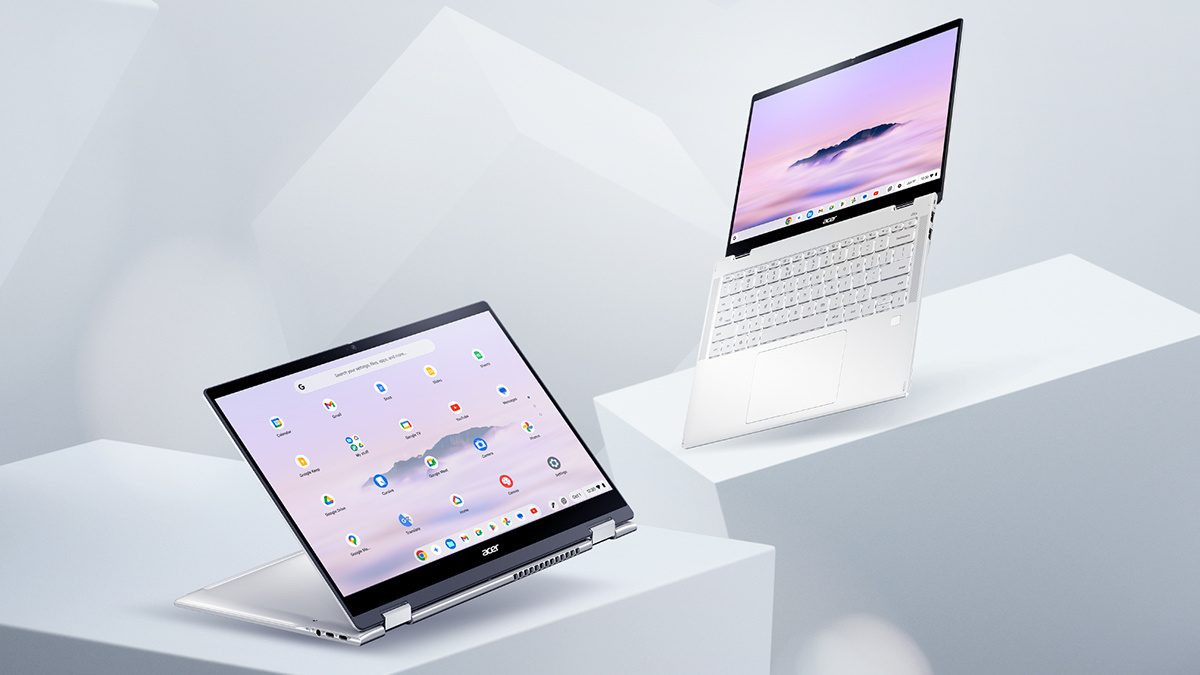
For many buyers, the real question is not whether a Chromebook counts as a “real” computer, but whether it can do the work they need every day. In 2026, that line is far less dramatic than it used to be. Both Chromebooks and Windows laptops can handle writing, video calls, research, streaming, web apps, and day-to-day productivity. The difference is not legitimacy. It is approach.
That matters because the definition of a computer has changed. For a lot of people, the browser has become the main workspace. Documents live in the cloud, meetings happen in Zoom, files sync automatically, and many of the tools people rely on now run through a web app rather than a heavy local install. In that environment, a Chromebook is not an imitation of a computer. It is a computer built around a different philosophy.
A better way to think about it is this: a computer is a machine that helps you solve problems. Both Chromebooks and Windows PCs do that. They just prioritize different strengths.
The shared essentials
The gap between Chromebooks and Windows laptops is smaller than a lot of people assume. Both can handle the basics that define modern computing. Microsoft 365 works on Chromebooks through the web, Google Workspace is naturally at home there, and Zoom supports Chromebook users through its web app and ChromeOS experience. If your day revolves around email, browser tabs, presentations, meetings, and collaborative documents, both platforms are fully capable.

The same is true on the hardware side. Acer’s current Chromebook and Windows laptop ranges both show that buyers no longer have to accept weak design or low-quality screens just because they choose a lighter workflow. Acer Chromebook models now include higher-resolution displays, modern processors, AI features, and even Wi-Fi 7 on select models, while the Swift line continues to push thin-and-light portability with OLED display options and current Intel, AMD, and NVIDIA hardware.
Connectivity is no longer a dividing line either. Whether you buy a Chromebook or a Windows laptop, you can now expect modern wireless standards, Bluetooth support, and compatibility with today’s accessories and peripherals. The choice is less about whether the machine can connect to your life and more about how much local horsepower you need once it does.
ChromeOS vs. Windows
Where the two paths split is in how the operating system is built.
ChromeOS is the streamlined option. It is designed around speed, simplicity, and low friction. Chromebooks are known for quick startup, automatic updates, and a security model that includes sandboxing, verified boot, and built-in protection layers, which reduces the amount of hands-on maintenance many users associate with traditional PCs. For people who mostly live in a browser, that makes a Chromebook feel refreshingly direct.
Windows takes the opposite view. It is built for breadth and local power. A Windows laptop gives you the freedom to install full desktop software, run specialized programs, manage files in more flexible ways, connect niche hardware, and work with advanced drivers and utilities. If your workflow depends on full-featured creative suites, professional software, or programs that still arrive as traditional installs, Windows remains the more expansive platform.
That is why the Chromebook versus Windows debate usually becomes clearer once you stop talking about categories and start talking about habits.
Which one fits your life?

The always-mobile user
If your work happens in coffee shops, airports, classrooms, and hotel lobbies, a Chromebook makes a strong case. It is built for people who want to open the lid, get online, and start working without much fuss. Long battery life, automatic syncing, and a lightweight daily experience make it particularly appealing for writers, remote workers, and frequent travelers. Acer’s Chromebook range reflects exactly that kind of pick-up-and-go design.
The creative and professional power user
If you edit video, manage complex spreadsheets, juggle demanding applications, or rely on local software for work, Windows is usually the stronger answer. This is where raw processing power, broader software compatibility, and more flexible hardware support matter. Acer’s Swift family covers portable premium systems, while more performance-focused Windows machines can step up for heavier creative or technical workloads.
The student
For many students, a Chromebook is still one of the easiest recommendations. It covers research, essays, web-based assignments, video classes, and collaboration with very little setup. It is also easier on the budget, and the ChromeOS ecosystem fits naturally with Google tools commonly used in education. On top of that, Chromebook update support now stretches to 10 years on new devices, which helps the value argument.
The pros and cons at a glance
Chromebook pros
Chromebooks are usually more affordable, easier to maintain, quick to start, and deeply tied to cloud syncing. Their security model is also one of their biggest selling points, since ChromeOS includes built-in protections and automatic updates rather than expecting users to manage as much themselves.
Chromebook cons
The tradeoff is that Chromebooks are not ideal for every heavy offline workflow. If you need full desktop versions of advanced editing software, specialized enterprise tools, or particular Windows-only applications, ChromeOS can feel limiting. Microsoft itself steers Chromebook users toward the web versions of Microsoft 365, which tells you a lot about where the platform’s center of gravity still is.
Windows pros
Windows laptops remain the most flexible option for buyers who want maximum compatibility. They can handle traditional desktop apps, local game installs, larger storage configurations, more specialized workflows, and a wider range of accessories and hardware-dependent use cases. If you want a machine that can do almost everything, Windows still has the broadest reach.
Windows cons
That flexibility comes with more upkeep. Windows machines generally ask more of the user over time, whether that means managing updates, driver behavior, software installs, storage, or system performance. And once you move into premium performance territory, prices rise quickly.
The Acer ecosystem: quality across the board

One reason this debate feels less rigid now is that Acer has products on both sides that are clearly built with intent. The company does not treat Chromebooks as disposable side devices and Windows laptops as the only serious machines. Its current Chromebook lineup shows that ChromeOS hardware can now include stronger specs, sharper displays, AI tools, and modern connectivity.
On the Windows side, Acer gives buyers distinct lanes. The Swift series is the natural fit for users who want premium portability, thin-and-light design, and modern AI PC features. The Aspire line remains the practical home-use choice for people who want versatility without jumping straight into gaming or workstation pricing.
Then there is the gaming exception. If high-end local PC gaming is part of the plan, Windows is still the stronger choice. Acer’s Nitro and Predator lines remain in that category because modern PC gaming depends on broad software support, dedicated graphics performance, and the kind of local horsepower ChromeOS is not primarily designed around. That said, Chromebooks are not shut out of gaming entirely, since cloud gaming can make them a viable option for players with a strong internet connection.
Final verdict
So, is a Chromebook a real computer?
Yes, of course it is. The better question is whether it is the right computer for you.
If your life runs through a browser, cloud storage, web apps, and constant mobility, a Chromebook may actually be the smarter and more modern fit. If your work depends on heavyweight local software, advanced multitasking, gaming, or specialized hardware, a Windows laptop is still the better tool.
This is not a fight between real and fake. It is a choice between streamlined computing and expansive computing. Both are valid. The right answer depends on the work you do, where you do it, and how much flexibility you need from your machine. For buyers comparing current options, Acer’s Chromebook, Swift, Aspire, Nitro, and Predator ranges make that choice easier by covering nearly every kind of user in one ecosystem.
FAQ
Is a Chromebook considered a real computer?
Yes, a Chromebook is a real computer. It can handle everyday tasks like web browsing, schoolwork, video calls, streaming, and online productivity.
Is a Chromebook better than a Windows laptop?
A Chromebook is better for some people, while a Windows laptop is better for others. Chromebooks are often best for simple, cloud-based tasks, while Windows laptops are better for advanced software, gaming, and heavier workloads.
What is the main difference between a Chromebook and a laptop?
A Chromebook is a type of laptop that runs ChromeOS instead of Windows. The biggest difference is that Chromebooks are designed around web apps and cloud tools, while Windows laptops support a wider range of local software and hardware.
Are Chromebooks good for students?
Yes, Chromebooks are a good choice for many students. They are usually affordable, easy to use, and well suited for research, writing, online classes, and Google-based school tools.
Can a Chromebook run Microsoft Office?
Yes, a Chromebook can run Microsoft Office through Microsoft 365 on the web. This is enough for many users who need Word, Excel, and PowerPoint for everyday work or school tasks.
Can you play games on a Chromebook?
Yes, you can play games on a Chromebook, especially through cloud gaming and lighter apps. For high-end local PC gaming, a Windows laptop is still the better option.
Is a Chromebook good for work from home?
A Chromebook can be a good work-from-home laptop if your job mainly involves email, documents, web apps, and video meetings. If you need specialized desktop software or heavy multitasking, a Windows laptop may be a better fit.
Do Chromebooks need antivirus software?
Most Chromebooks do not need traditional third-party antivirus software. ChromeOS includes built-in security features that make the platform simple and low-maintenance for many users.
What are Chromebooks best for?
Chromebooks are best for web browsing, writing, streaming, schoolwork, cloud storage, and day-to-day productivity. They are a strong option for users who want speed, simplicity, and long battery life.
Should I buy a Chromebook or a Windows laptop?
You should buy a Chromebook if you want an affordable, easy-to-use device for everyday online tasks. You should buy a Windows laptop if you need more power, more software options, or better support for gaming and creative work.
Recommended Products








