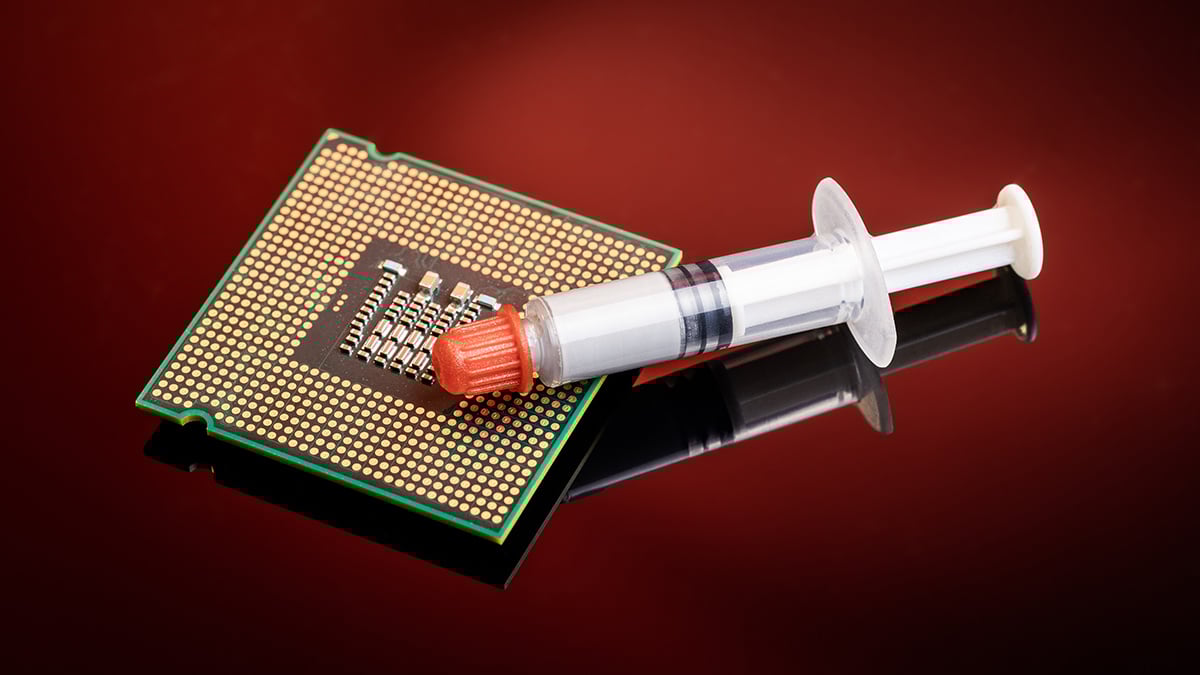
Thermal paste plays a quiet but critical role in keeping your computer running fast, stable, and reliable. Over time, this paste dries out and loses effectiveness, causing higher CPU temperatures, reduced performance, and even long-term hardware damage. Whether you are using a gaming PC, a work laptop, or a custom desktop build, understanding why thermal paste matters and when to replace it can help extend the life of your system and prevent costly repairs. In this guide, we explain what thermal paste does, how often it should be replaced, and what options you have if you are not comfortable doing it yourself.
Why CPUs need help managing heat
A CPU generates heat whenever it is operating because electrical energy is converted into processing power. The more demanding the task, such as gaming, video editing, or running multiple programs at once, the more heat the CPU produces. This heat builds up quickly in a confined space like a desktop case or laptop chassis.
If heat is not removed efficiently, CPU temperatures rise beyond safe limits. When this happens, the processor automatically slows itself down to reduce heat output, a process known as thermal throttling. This results in lower performance, slower response times, and, in extreme cases, system instability or unexpected shutdowns. Over time, consistently high temperatures can also contribute to long-term wear on the CPU and other internal components.
Because heat is unavoidable during normal operation, CPUs rely on cooling systems and proper heat transfer to stay within safe operating ranges. Without effective thermal management, even high-end processors cannot maintain their intended performance or lifespan.
What thermal paste does
Thermal paste improves the transfer of heat from the CPU to the cooler. While the top of a CPU and the base of a cooler appear smooth, both surfaces have microscopic imperfections that trap air. Air does not transfer heat well, which limits how quickly heat can move away from the processor.
Thermal paste fills these tiny gaps, replacing trapped air with a material that conducts heat far more efficiently. This allows heat to move evenly and consistently into the heatsink or liquid cooling plate, where it can be dissipated by fans or radiators. Properly applied thermal paste helps maintain stable temperatures, supports sustained performance, and reduces stress on the CPU during extended use.
How often should you change thermal paste?
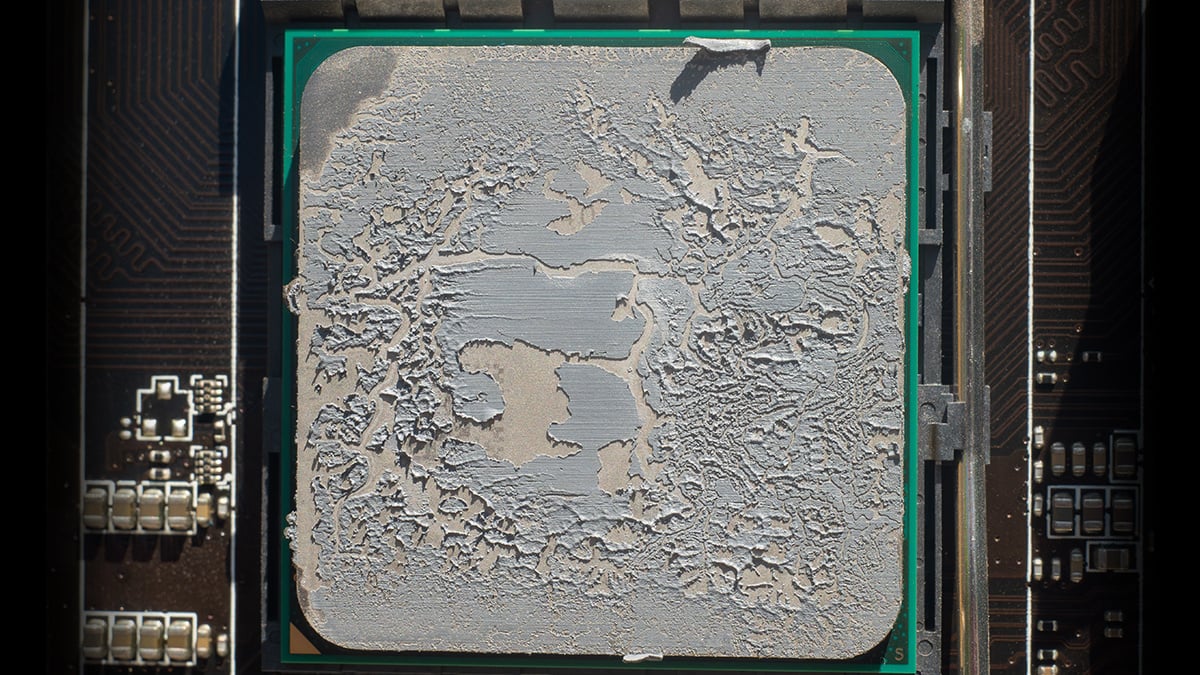
In most cases, thermal paste does not need to be replaced on a fixed schedule. If thermal paste was applied correctly during the original build or manufacturing process, it can remain effective for many years without causing problems. For most users, especially those who upgrade their systems every few years, thermal paste will never need to be changed at all.
Thermal paste should only be replaced when there is a clear reason to do so. The most common situation is when you remove or replace the CPU cooler. Once a cooler is lifted off the CPU, the existing paste should not be reused and fresh thermal paste must be applied.
Another reason to consider replacing thermal paste is a noticeable and sustained increase in CPU temperatures. If your CPU is running significantly hotter than before, the first step should always be basic maintenance, such as cleaning dust from fans, heatsinks, and air vents. If cleaning does not improve temperatures, aging or uneven thermal paste may be worth investigating.
Even for intensive gaming or heavy workloads, thermal paste typically lasts a long time. In demanding systems that are used daily, replacing thermal paste may make sense after three to five years, but this is a guideline, not a requirement. Unlike changing oil in a car, thermal paste does not degrade on a predictable timetable. If your temperatures are stable and performance is normal, there is no reason to worry about it.
Best ways to replace thermal paste
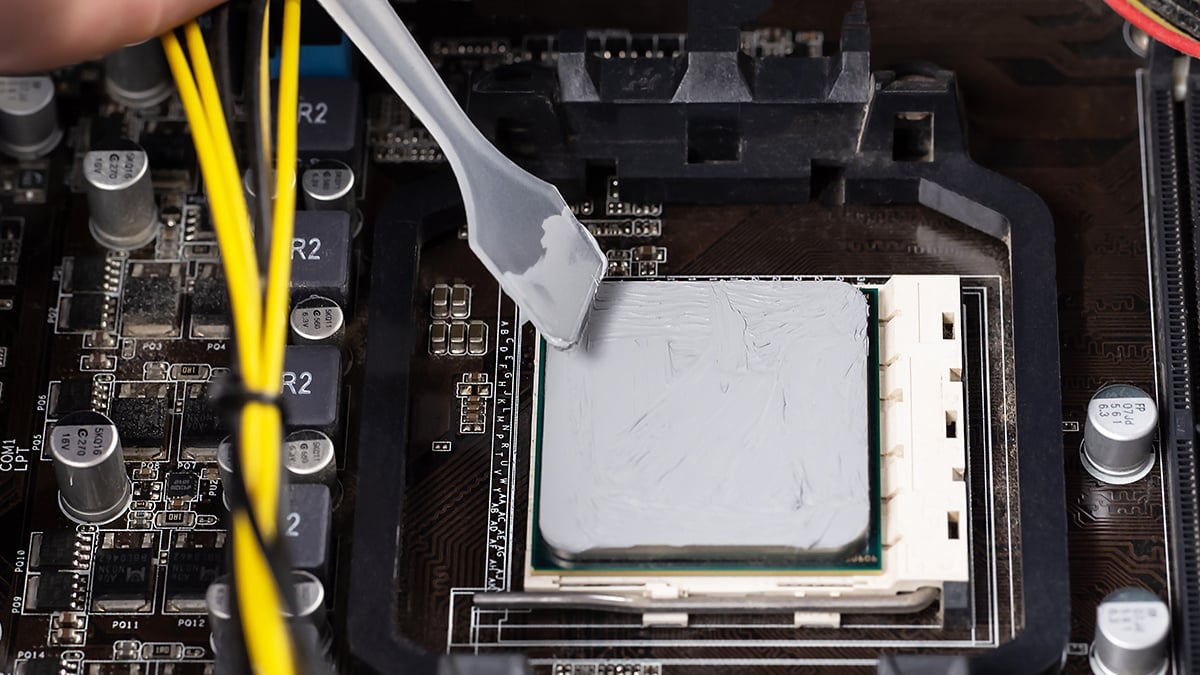
Most people overthink thermal paste. In real-world testing, common application methods (dot, line, X, or spreading) perform almost the same, with temperature differences so small they are often within margin of error. What matters far more than the exact pattern is using enough paste to get solid coverage once the cooler is mounted.
A practical, low-risk approach looks like this:
1) Remove the cooler and clean properly
- If you take the CPU cooler off for any reason, plan to use fresh paste.
- Wipe off old paste from the CPU and cooler base.
- Use isopropyl alcohol and a lint-free cloth or paper towel for residue.
- Let both surfaces dry completely.
2) Apply a simple pattern that is hard to mess up
- For most CPUs, a pea-sized dot in the center is a reliable default.
- An X pattern is also a safe choice and can help coverage on larger heat spreaders.
- Spreading the paste can work, but it is not required for good results.
3) Reinstall with even pressure
- Mount the cooler evenly so pressure spreads the paste into a thin layer.
- Tighten screws in a cross pattern if your cooler uses four screws.
- The goal is consistent contact, not a thick layer of paste.
4) Avoid the real mistake: using too little
The biggest performance difference comes from not using enough paste to cover the contact area. Too little paste can leave gaps, which means trapped air, and trapped air blocks heat transfer. Slightly too much paste is usually not a problem with standard thermal paste.
5) Special note for stock AMD coolers and grooved base plates
Some coolers have grooves on the contact plate that can affect how paste spreads. In those cases, an X pattern, a spread, or a multi-dot method can help ensure coverage. The main point stays the same: do not apply a tiny amount.
6) Laptops are a different risk level
Repasting a laptop usually requires deeper disassembly and can be easy to get wrong. If you are not confident, it is reasonable to avoid a DIY repaste and choose professional service instead.
What thermal paste should you use?
For most people, the “best” thermal paste is the one that is easy to apply, does not create a mess, and stays stable over time. In real-world testing, the temperature difference between reputable thermal pastes is usually small. Much bigger problems come from poor coverage, paste that migrates or “pumps out” over time, or products that are difficult to apply correctly.
A simple way to choose is to prioritize stability and ease of use over chasing a tiny temperature advantage.
A safe default for almost everyone
Use a non-electrically conductive, non-metal thermal paste from a reputable brand. These pastes are forgiving, easy to clean, and suitable for both desktops and laptops when repasting is actually needed.
What matters most when buying thermal paste
- Consistency: Pastes that are too thick can be hard to work with, while very runny pastes can be messy and more prone to squeezing out over time.
- Longevity: A paste that stays effective for years is often more valuable than one that benchmarks slightly better when brand new.
- Ease of cleaning: You want something that wipes off cleanly with isopropyl alcohol and does not leave heavy residue.
What to avoid for most readers
- Liquid metal thermal compounds: These conduct electricity and carry a real risk of shorting components if mishandled. They are not worth it for typical builds or first-time repastes.
- Conductive or metal-heavy pastes: Some older “silver” pastes can be messier and require more care around exposed components.
Practical brand recommendations
- ARCTIC MX-4 or MX-6: A strong value choice and a safe default for most users. Reliable, affordable, and easy to apply.
- Noctua NT-H1 or NT-H2: Very beginner-friendly, clean application, and consistent results. Ideal if you want something hard to mess up.
- Thermal Grizzly Kryonaut: A premium conventional paste with a strong reputation among enthusiasts. You are paying more for handling and brand confidence, not a dramatic temperature drop.
- Kingpin Cooling KPX: Often chosen for long-term stability and “set it and forget it” builds when available.
The bottom line
Pick a reputable, non-conductive thermal paste that is easy to apply and likely to hold up over time. If your CPU temperatures are stable, the brand of paste matters far less than proper mounting pressure, a clean cooler, and reasonable airflow.
If you are afraid to change your thermal paste
If opening your PC, removing a cooler, or working near delicate components sounds stressful, that is completely reasonable. While replacing thermal paste is not difficult, it does involve a level of risk, especially for laptops or compact systems where disassembly is more complex. One small mistake can lead to damaged connectors, uneven mounting pressure, or other issues that outweigh any temperature benefit.
If your system is running within normal temperature ranges, there is no obligation to repaste at all. As covered earlier, thermal paste does not need routine replacement, and many systems run perfectly well for years without touching it. In those cases, the safest option is often to leave things as they are.
For users who want peace of mind, professional servicing or extended coverage can be a better solution. Programs like Acer Care Extended Service Plans can help cover hardware servicing and repairs without the risk of doing it yourself. This is especially useful for laptops, all-in-one PCs, or newer systems still under warranty, where self-servicing could void coverage.
Conclusion
Thermal paste is important, but it is also widely misunderstood. You do not need to replace it on a strict schedule, and you do not need to obsess over application methods or expensive compounds. If your CPU temperatures are stable and your system performs normally, your thermal paste is already doing its job.
When repasting is necessary, focus on the basics: use a reputable non-conductive paste, apply enough for proper coverage, and mount the cooler evenly. Beyond that, good airflow, clean fans, and a properly seated cooler matter far more than chasing small temperature differences.
And if you are unsure or simply prefer not to open your system, choosing professional support or extended coverage can be the smarter, lower-risk option. The goal is not perfect temperatures on a chart, but a system that runs reliably, quietly, and without unnecessary stress.
Frequently asked questions (FAQ)
Do you need to replace thermal paste regularly?
No. Thermal paste does not need routine replacement. If your CPU temperatures are stable and performance is normal, there is no reason to change it. Most users will never need to repaste unless they remove the CPU cooler or see sustained temperature increases.
When should you replace thermal paste?
You should replace thermal paste if you remove or change the CPU cooler, or if CPU temperatures become noticeably higher over time and cleaning dust does not help. For heavy gaming systems, this may happen after several years, but it is not guaranteed.
Does thermal paste dry out over time?
Thermal paste can degrade slowly, but high-quality paste often lasts many years. Drying out is far less common than issues caused by poor airflow, dust buildup, or uneven cooler mounting.
Does the thermal paste application method matter?
Not much. Dot, line, X, or spread methods all perform similarly in real-world testing as long as enough paste is used to achieve proper coverage. Using too little paste is a bigger problem than using slightly too much.
Can using the wrong thermal paste damage your CPU?
Most standard thermal pastes are safe. Problems usually come from liquid metal or electrically conductive pastes, which can cause short circuits if applied incorrectly. For most users, non-conductive paste is the safest option.
Is liquid metal thermal paste worth it?
For most people, no. Liquid metal is risky, electrically conductive, and easy to misuse. The small temperature gains are not worth the potential damage for everyday PCs or gaming systems.
Do laptops need thermal paste replacement more often than desktops?
Not necessarily, but laptops run hotter and have tighter airflow. If a laptop shows persistent overheating that cleaning does not fix, repasting may help. Because laptop disassembly is complex, professional servicing is often the safer choice.
What is the biggest mistake people make with thermal paste?
Using too little paste or uneven mounting pressure. Air gaps are far worse for cooling than slightly excess paste.
Is it safe to change thermal paste yourself?
It can be, but it depends on your comfort level and system type. Desktop PCs are generally easier. Laptops and compact systems carry more risk. If you are unsure, professional servicing or extended coverage such as Acer Care Extended Service Plans can help avoid unnecessary damage.
Recommended Products








