Microsoft has quietly given Windows 10 holdouts another year. Consumer Extended Security Updates now run through October 12, 2027, up from the original October 13, 2026 cutoff. If you live in the European Economic Area, you can still enroll for free by simply signing in with a Microsoft account, a concession Microsoft made in 2025 under pressure from the EU's Digital Markets Act. Outside the EEA, the three original enrollment paths still apply, and two of them cost nothing. In this guide we explain what Windows 10 end of support means, why Europe gets the simplest free path, how to enroll wherever you live, and what the extension changes for your upgrade timeline.
What is Windows 10 end of support (EOS)?
Windows 10 reached end of support on October 14, 2025. Microsoft no longer delivers new features, routine bug fixes, or free security patches through Windows Update. Your PC still runs, but it grows more vulnerable over time unless you enroll in Extended Security Updates or move to Windows 11. The final consumer release of Windows 10 is version 22H2.
Extended Security Updates, or ESU, is a separate program that provides critical and important security fixes only. It does not include new features, quality updates, or technical support.
Consumer ESU was originally a one-year bridge ending October 13, 2026. On June 25, 2026, Microsoft extended it by a second year in an editor's note added to its original announcement post, which is why that page still carries a 2025 date. You can enroll at any time until the program ends on October 12, 2027, and devices already enrolled continue automatically through that date with no action needed. Businesses follow a separate paid track that runs until October 10, 2028.
Outside Europe, Microsoft offers three enrollment paths. You can sync your PC settings at no additional cost, redeem 1,000 Microsoft Rewards points, or make a one-time purchase of $30 USD or the local currency equivalent. One ESU license covers up to 10 devices on the same Microsoft account.
In the European Economic Area, Microsoft removed those conditions after complaints under the EU's Digital Markets Act. Consumers in the EEA do not need OneDrive backup, Rewards points, or payment. Signing in to Windows 10 with a Microsoft account is enough.
Why Europeans get it free and how to enroll if you live in the EU
Microsoft made Windows 10 Extended Security Updates free for consumers in the European Economic Area after complaints that tying security updates to OneDrive backup, Microsoft Rewards, or a $30 fee could violate the EU’s Digital Markets Act. The result is simple. If you live in the EEA, you can enroll at no cost and receive critical and important security fixes through October 13, 2026.
Who qualifies
- You are physically located in an EEA country and your device runs Windows 10 version 22H2.
- You use a Microsoft account on the device.
How to enroll
- Open Settings on your Windows 10 PC.
- Go to Update & Security and look for Extended Security Updates or follow the enrollment prompt in Windows Update.
- Sign in with your Microsoft account if you are not already signed in.
- Complete the on-screen steps to join ESU. There is no fee and no requirement to back up with Windows Backup or redeem Microsoft Rewards.
Keep your coverage active
- Use the device and sign in with your Microsoft account periodically. Microsoft may require you to sign in at least once every 60 days to remain eligible.
- Install updates when Windows Update offers them.
What you get
- Critical and important security updates only.
- No new features, quality updates, or standard support.
Tip. If you do not see the ESU option immediately, check Windows Update again later or ensure you are on version 22H2.
How to get free Windows 10 updates if you live outside the EU
You can still enroll in Extended Security Updates at no cost using Microsoft’s approved paths. First make sure your PC is on Windows 10 version 22H2 and that you are signed in with a Microsoft account on the device.
Option 1. Microsoft Rewards
- Join Microsoft Rewards with the same Microsoft account used on your Windows 10 PC.
- Earn 1,000 points using Bing searches, daily sets, and quizzes.
- On your PC, open Settings → Update & Security → Windows Update and start Extended Security Updates enrollment.
- Choose the Rewards option and confirm redemption. The system will verify your points and activate ESU.
Option 2. Windows Backup to OneDrive
- Open the Windows Backup app and sign in to OneDrive with the same Microsoft account on your PC.
- Complete a lightweight backup of settings and essentials so it fits within the 5 GB free OneDrive tier. Exclude large folders you do not need.
- Go to Settings → Update & Security → Windows Update, start Extended Security Updates, and select the Backup option to activate ESU.
If neither path works
You can pay the one-time $30 fee during ESU enrollment to receive one year of updates.
Should you still upgrade your computer?

Yes. ESU only delivers critical and important security fixes for a limited time and does not include new features or most quality updates. Upgrading to Windows 11 extends your support window and adds modern security protections.
Future-proof your setup with an Acer Copilot+ PC
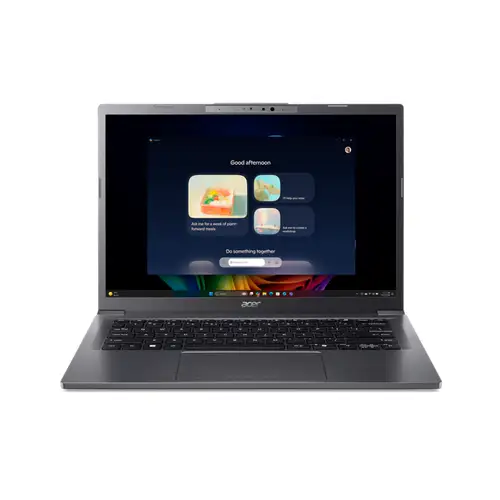
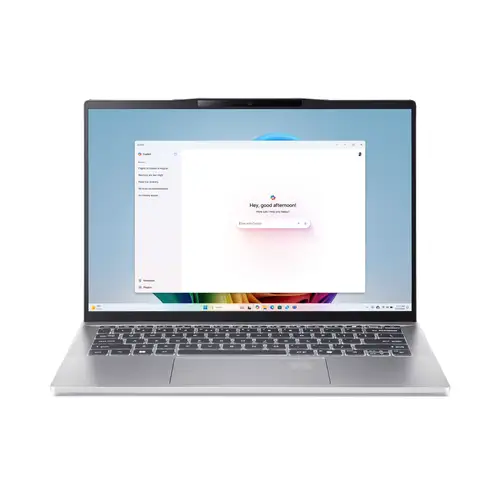
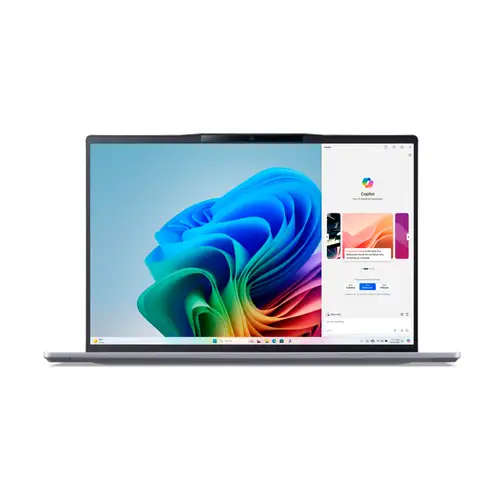
Copilot+ PCs pair modern CPUs with an on-device NPU for AI features, strong battery life, and longer support horizons. If your current PC passes the Windows 11 checks, you can upgrade in place. If it does not, stepping up to an Acer Copilot+ PC gets you current security standards, fast NVMe storage, Wi-Fi 6/7 options, and hardware built for the latest Windows features.
For help picking the right model, see Acer’s official Copilot+ PC buyer’s guide.
Conclusion
Windows 10 users got a second year they were not counting on. Consumer ESU now runs through October 12, 2027, and enrollment stays open until then. In the EEA, that coverage costs nothing beyond a Microsoft account sign-in, which is the concession EU pressure under the Digital Markets Act won back in 2025. Outside Europe, the free Rewards and settings-sync routes reach the same 2027 date, and the $30 option is there if neither fits.
ESU is a short bridge, not a destination. If your device can run Windows 11, upgrade for stronger security and a longer support runway. If it cannot, consider a new machine that is ready for current features and support. Before you move, review this checklist to see what your options are before Windows 10 support ends. For those with a valid student email, you can enjoy 15% off certain products from the Acer Store if you sign up with Student Beans using your .edu email.
Frequently asked questions
When does Windows 10 ESU actually end?
Consumer Extended Security Updates for Windows 10 end on October 12, 2027. Microsoft extended the program by one year on June 25, 2026, moving the date from the original October 13, 2026. Enrollment stays open until the program closes.
Do I need to re-enroll or pay again because of the extension?
No. Devices already enrolled in consumer ESU roll over to October 12, 2027 automatically. Microsoft did not ask anyone to re-enroll or pay a second time.
Is Windows 10 ESU free in the European Economic Area?
Yes. Consumers in the EEA enroll at no cost by signing in with a Microsoft account. There is no requirement to back up settings to OneDrive, redeem Microsoft Rewards points, or pay the $30 fee. You do need to sign in with that account at least once every 60 days to keep coverage active.
How do I get Windows 10 ESU for free outside the EEA?
Two of the three enrollment routes cost nothing. You can sync your PC settings with Windows Backup, or redeem 1,000 Microsoft Rewards points. The third route is a one-time $30 payment. All three deliver the same coverage through October 12, 2027.
How many PCs does one ESU license cover?
One consumer ESU license covers up to 10 devices signed in with the same Microsoft account. Each additional device must still meet the eligibility requirements.
What does ESU actually include?
Critical and important security updates only, as defined by the Microsoft Security Response Center. It does not include new features, quality updates, design change requests, or technical support.
Recommended Products